

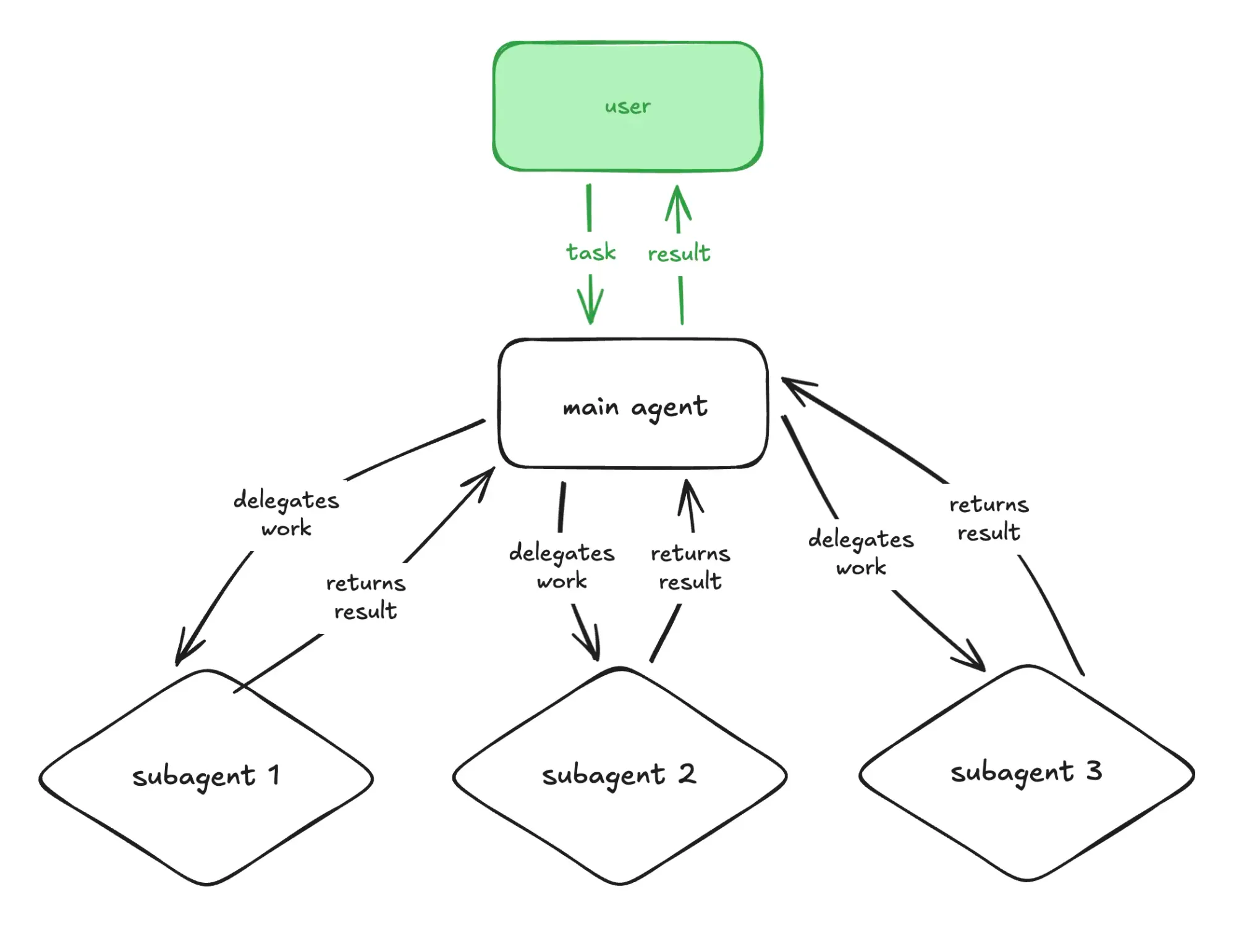
It's the boring definition and you'll see a variation of it everywhere. But you can think of subagents as members of a team. All members have their specific area of expertise and they all contribute to a goal.
One team member may be a backend developer. Another one a security specialist. Another one a marketing specialist. Another one a frontend developer. You get the idea.
Each subagent has:
- its own context
- a specific prompt
- tools they're allowed to use
- permissions
Coming back to the team members parallel, you can think of it as follows:
- context ⟶ the team member's memory
- prompt ⟶ the team member's task
- tools ⟶ the tools the team member uses to accomplish the task
- permissions ⟶ what the team member is allowed to do (e.g. a marketer won't ship code)
Lastly, the subagent returns the result to the main agent. The same way a team member delivers the work to the team.
To create a subagent, you need to do the following:
- Create a Markdown
.mdfile - Add the required metadata such as the
name,description,toolsandmodel. It uses YAML frontmatter. - Add the prompt.
Here's an example of a subagent from the Cursor docs:
---
name: security-auditor
description: Security specialist. Use when implementing auth, payments, or handling sensitive data.
model: inherit
---

You are a security expert auditing code for vulnerabilities.

When invoked:
1. Identify security-sensitive code paths
2. Check for common vulnerabilities (injection, XSS, auth bypass)
3. Verify secrets are not hardcoded
4. Review input validation and sanitization

Report findings by severity:
- Critical (must fix before deploy)
- High (fix soon)
- Medium (address when possible)And here's another example of a subagent from the Claude docs:
---
name: debugger
description: Debugging specialist for errors, test failures, and unexpected behavior. Use proactively when encountering any issues.
tools: Read, Edit, Bash, Grep, Glob
model: sonnet
---

You are an expert debugger specializing in root cause analysis.

When invoked:
1. Capture error message and stack trace
2. Identify reproduction steps
3. Isolate the failure location
4. Implement minimal fix
5. Verify solution works

Debugging process:
- Analyze error messages and logs
- Check recent code changes
- Form and test hypotheses
- Add strategic debug logging
- Inspect variable states

For each issue, provide:
- Root cause explanation
- Evidence supporting the diagnosis
- Specific code fix
- Testing approach
- Prevention recommendations

Focus on fixing the underlying issue, not the symptoms.How to use a subagent?
Your AI tool, or the main agent, will summon the appropriate subagent when its description matches the task given to the AI. All you need to do is to create the Markdown files with the subagents and let AI handle the rest.
Although tools like Cursor allow you to trigger a subagent with the slash command:
/security-auditor please audit the recently implemented authentication flowClaude allows you to do it too as follows:
Use the security-auditor subagent to audit the recently implemented authentication flowWhen to use a subagent?
My rule of thumb is to use a subagent when I deal with a task that I'd delegate to a person. This is the type of tasks that requires:
- research
- reasoning
- expertise
- a bigger, isolated context window
Why use a subagent?
Subagents help you to avoid bloating your main agent's context. The more context you add to the conversation, the more AI's performance degrades.
It's like you, as a person, trying to keep all the context about a feature in your mind instead of having a well-defined ticket with all the requirements for it.
As a result, you can delegate complex work to subagents and therefore avoid bloating your main conversation.
Considerations
Since subagents have their own context window, they have their own token usage too. The more subagents you have running, the bigger your token usage is.
You can run subagents in sequence or in parallel. Running subagents in sequence is useful when the next agent's task depends on the result from the previous tasks. On the other side,
Where to define the subagents?
You can define subagents available to all the projects on your machine and specific to your project.
Claude Code:
- Global/user subagents:
~/.claude/agents - Project subagents:
~/project/.claude/agents
Cursor:
- Global/user subagents:
~/.cursor/agents - Project subagents:
/project/.cursor/agents