

I compared the CLIs on video earlier in Codex vs Warp vs Claude Code and Windsurf vs Warp; this is the desktop-app round.
I've been using both apps for a while and I couldn't resist comparing them. I judge them based on my gut feeling and the following:
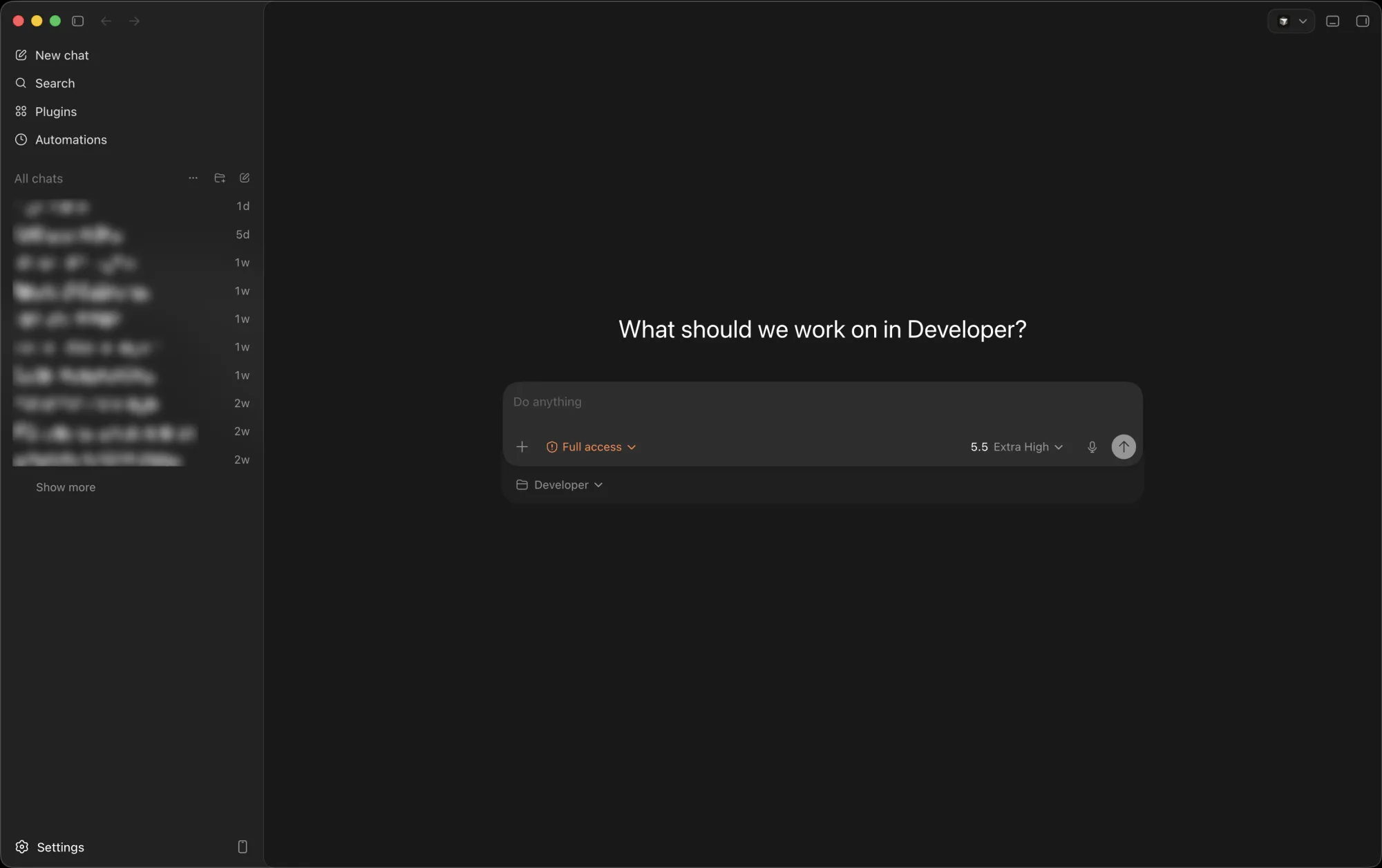
- Better spacing all around the app
With Codex, the options and sections are better spaced out. It feels less cramped, which makes the app easier to navigate and read the chat responses. Claude Code feels to busy and crowded.
Ultimately, I find Codex more appealing.
- Sections better delimited
Codex has all the options in one place. New chat, search, plugins, and automations are at the top of the sidebar.
Underneath, you have the projects and chats. Or just chats, if you organize the sidebar as a chronological list, which I use at the moment. Although I keep switch between the two.
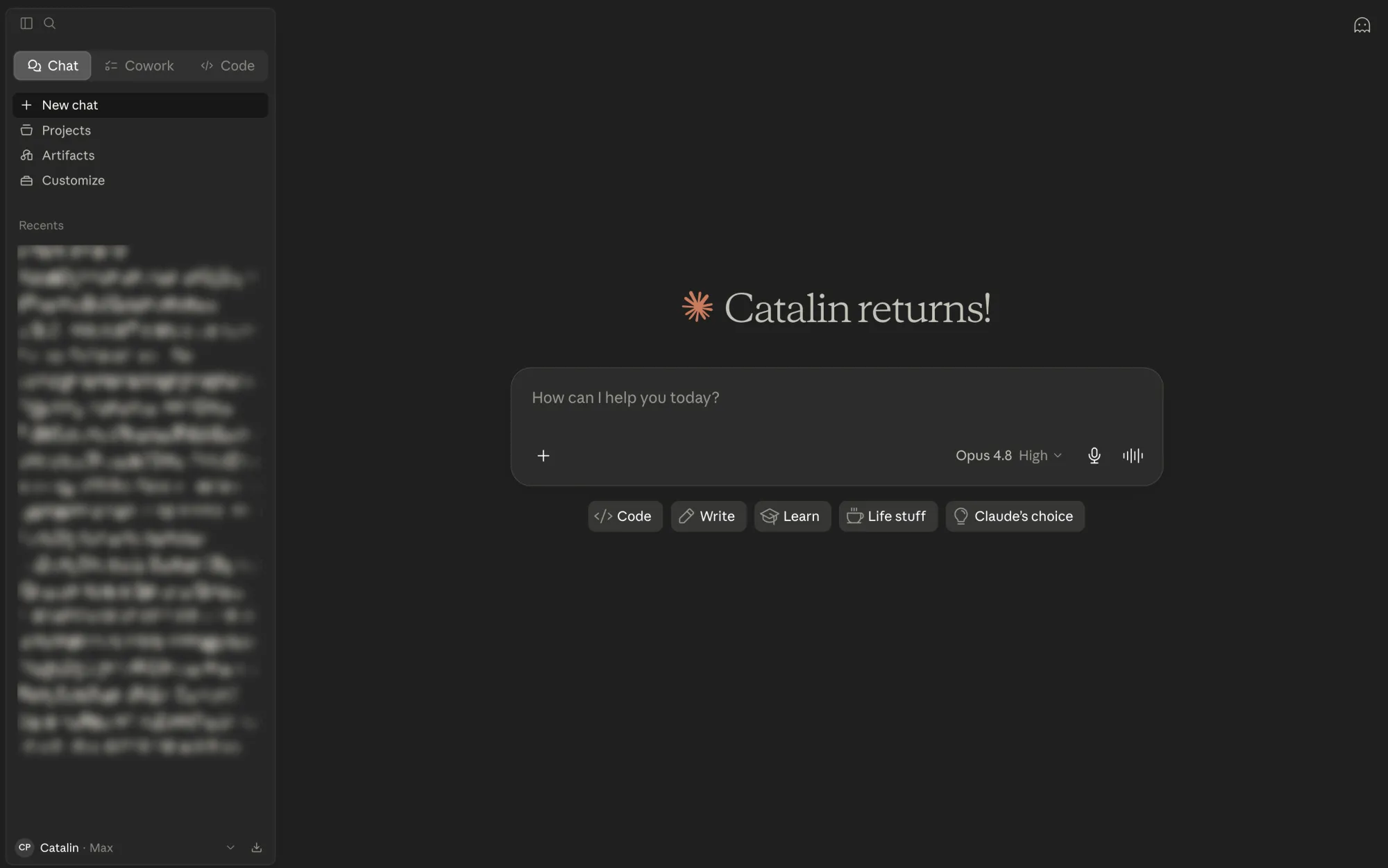
Claude Code overwhelms you with options. You have:
- Chat
- Cowork
- Code
And each one has its set of options: projects, artifacts, dispatch and others. Why can't they be consolidated in one tab?
Codex does a good job at this by separating "Projects" and "Chats", but they still leave in the same window. And if you want even less clutter, you can organize the sidebar as a chronological list.
Either way, you have everything at a glance when using Codex. The sidebar on the left shows you all the available options and chats.
I'm a big fan of simplicity. Less is more.
- Installing new plugins and skills
Installing new plugins takes you 2 clicks in Codex:
- click "Plugins"
- click the "+" symbol for the plugin you want to install and you're done
Custom slash commands and subagents work in both, so your workflow moves with you.
Once again, Claude Code makes this more complex than it should be. You need to click:
- "Customize"
- "Skills"
- "+"
- "Browse skills"
- "+" for the plugin you want to install
It's 2 clicks versus 5 clicks.
- Right sidebar
For the lack of better words, I'll call this the right sidebar.
It's about all the options from the right-hand side of Codex and Claude Code such as the diff previewer, files, terminal, and so on.
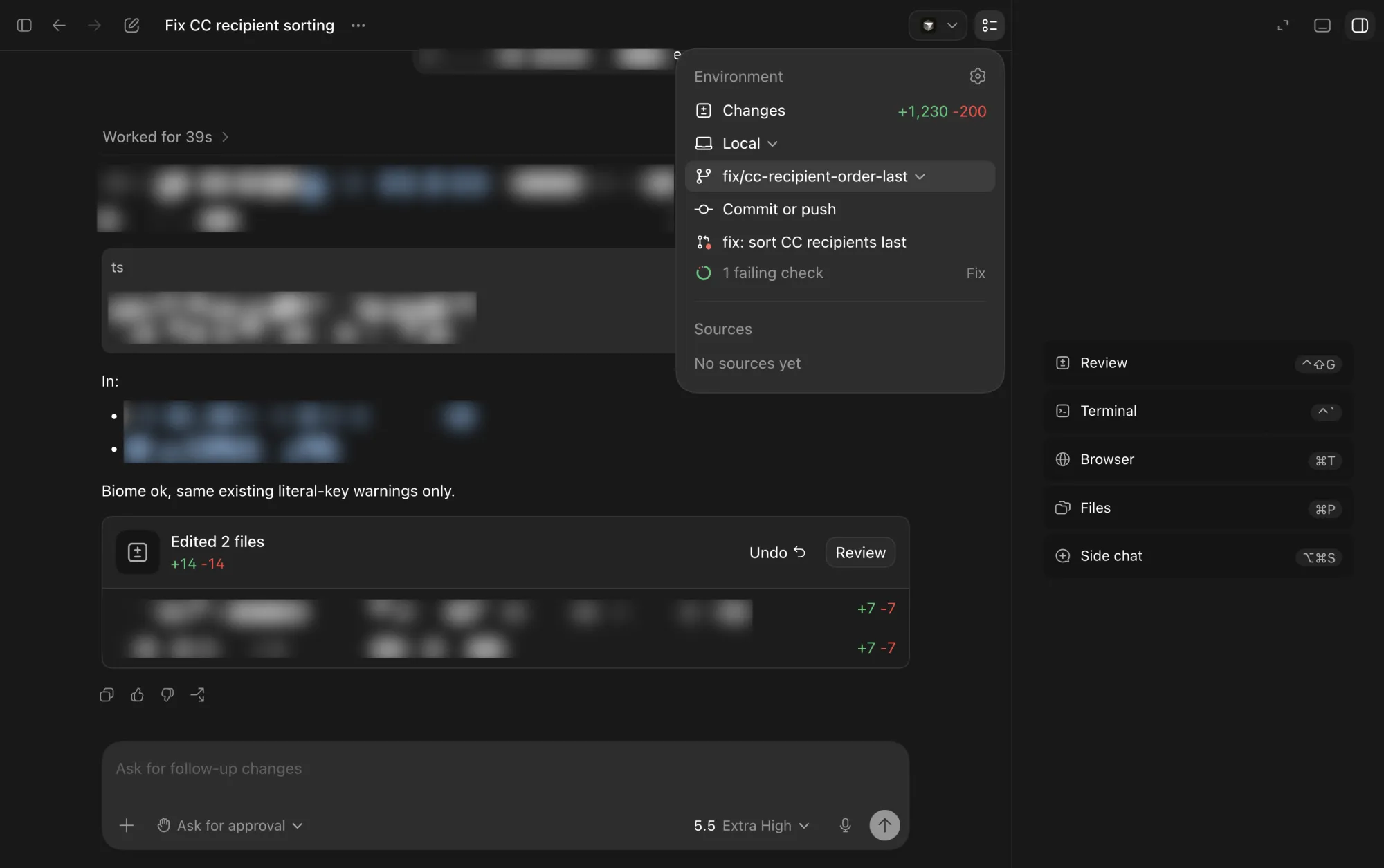
Codex has the "Open with" option that lets you open code changes in various apps like Cursor, Zed, Finder, and Terminal. That's really handy when you want to make manual changes.
It also splits these tools into options:
- Environment: for the diff viewer, committing & pushing the changes, and a direct link to the pull request among others.
- Terminal: you can open the terminal by clicking on the second last item from the top right side. Easy access to the terminal is a plus to me since I do git stuff manually, for example.
- Sidebar: the one you see on the right side. I mostly use it for the diff checker, file tree and the browser.
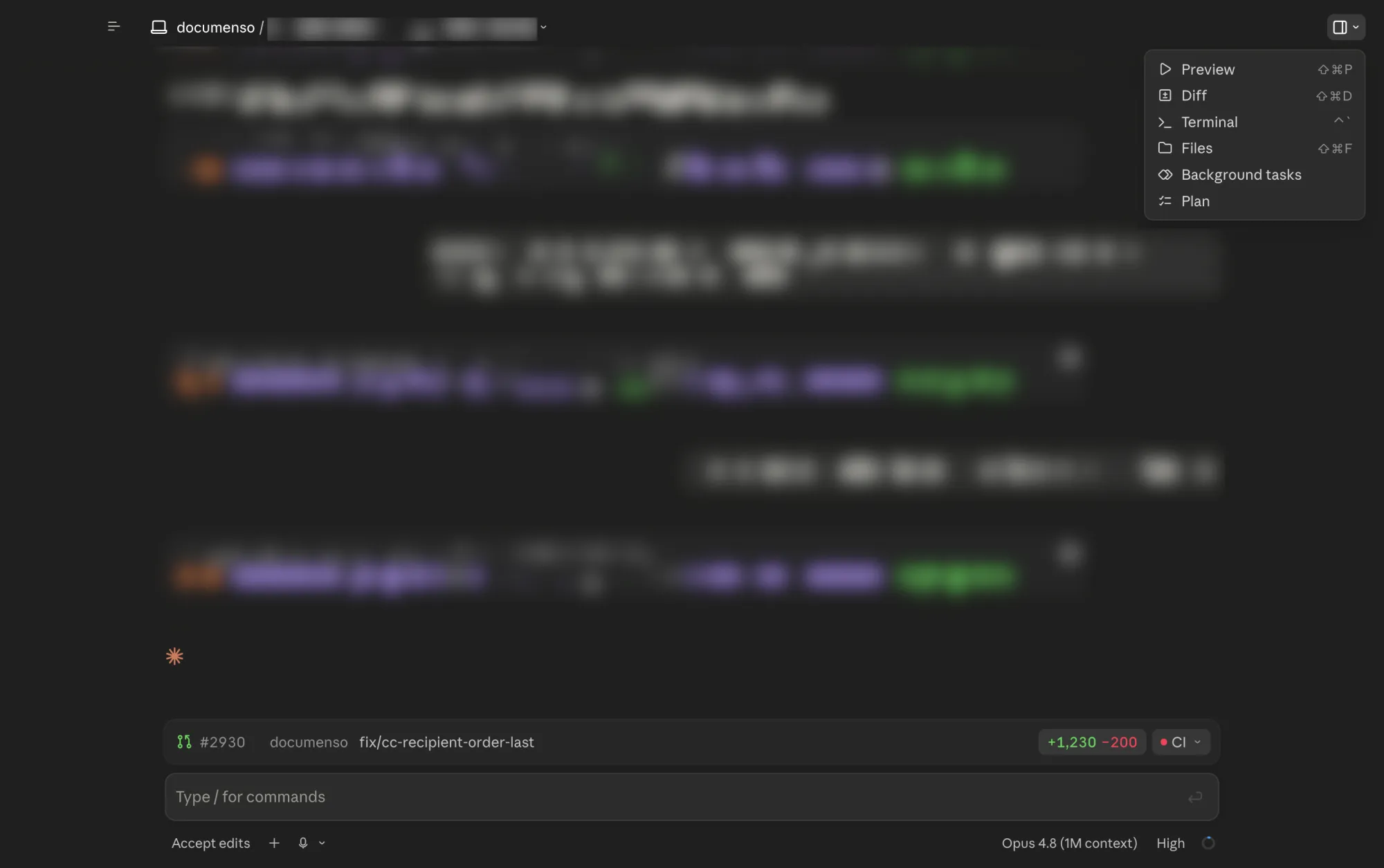
On the other hand, Claude Code groups all options behind the drawer icon. You could argue this is simpler and somewhat better organized.
Also, the way they open the tools differs too. Claude Code stacks them next to, and on top of, each other. In contrast, Codex uses browser-like tabs for each opened tool.
I'm on the fence here.
Like I said earlier, simplicity is key and Claude Code is simpler in the way it organizes the available tools and options. However, I like Codex's browser-like tabs for the opened windows.
Nice to have for both
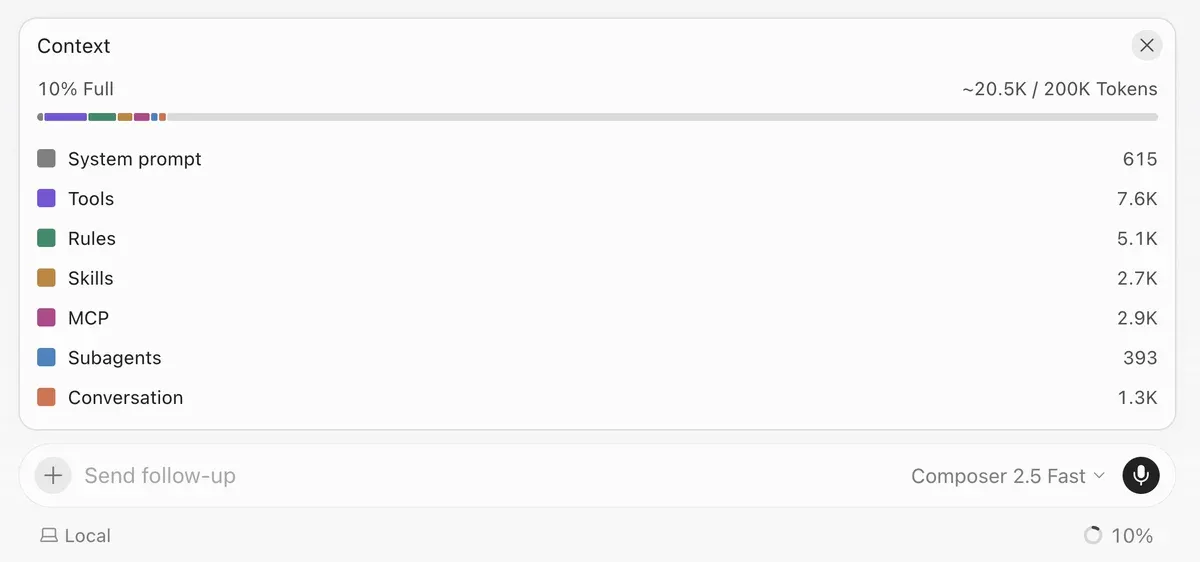
- Token usage
They should take a peek at Cursor and add an easy way of seeing your token usage.
- Collaborate with people
It'd be cool if you could share your session with other people and collaborate in the same chat. I don't know how feasible this is, but it would be nice.
At the very least, I'd like to be able to share the chats like we can already do from the Claude and ChatGPT web apps.
Conclusion
If I had to compare them to existing prducts, I'd say Codex vs Claude Code feels like Apple vs Samsung.
Claude Code's design looks like the design I'd expect AI to generate. And it's not a a dig at Claude or anything like that. They actually said that Claude builds itself. On the other side, Codex's design looks more humanly-produced and therefore more professional.
For now, I prefer Codex between the two. But opinions change, so we'll see where I'll stand in a few months.