

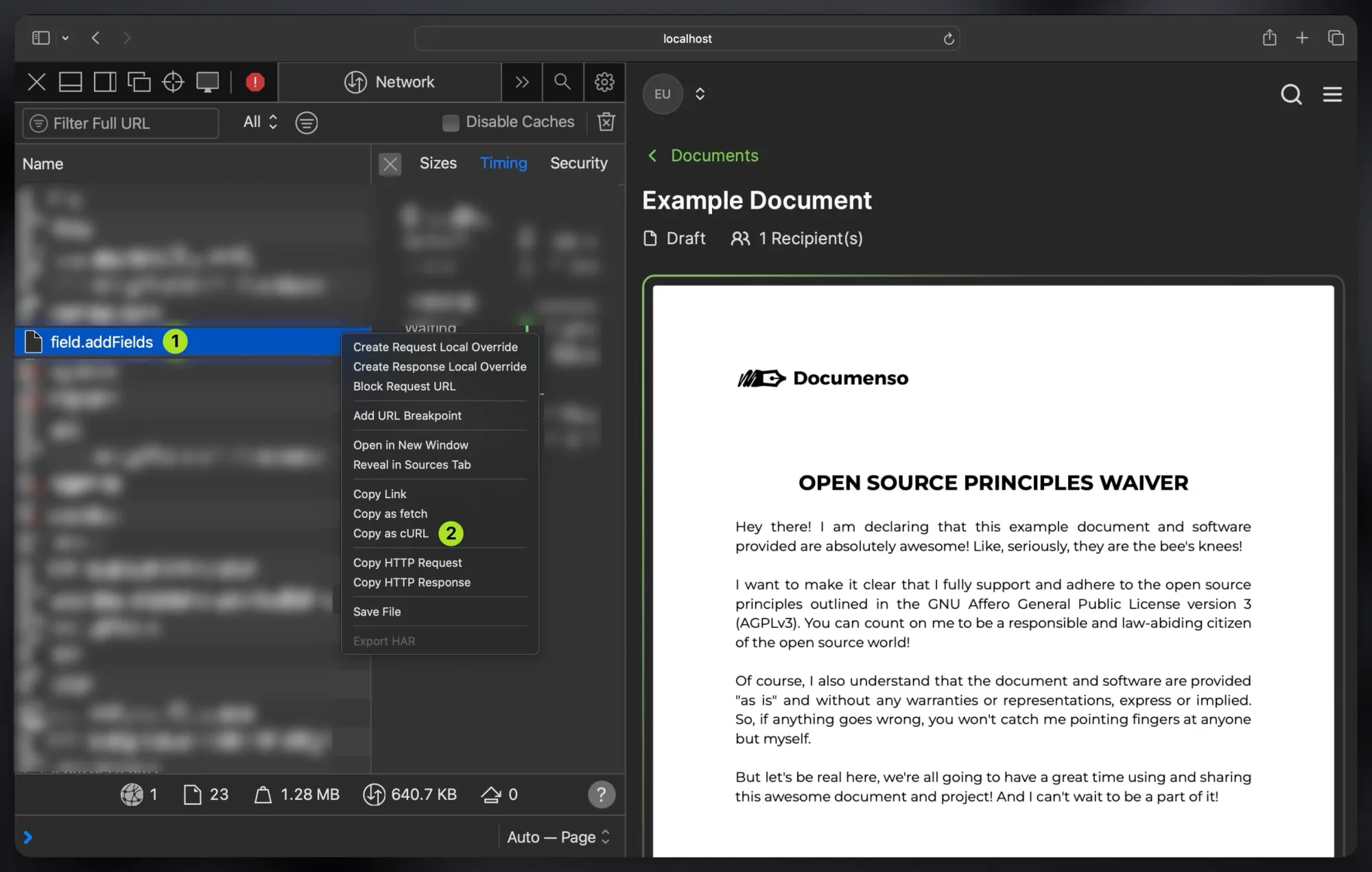
To copy an HTTP request from your browser's developer tools:
- Open the "Network" tab in your browser's developer tools.
- Right-click on the request you want to copy.
- Click the "Copy as cURL" option.
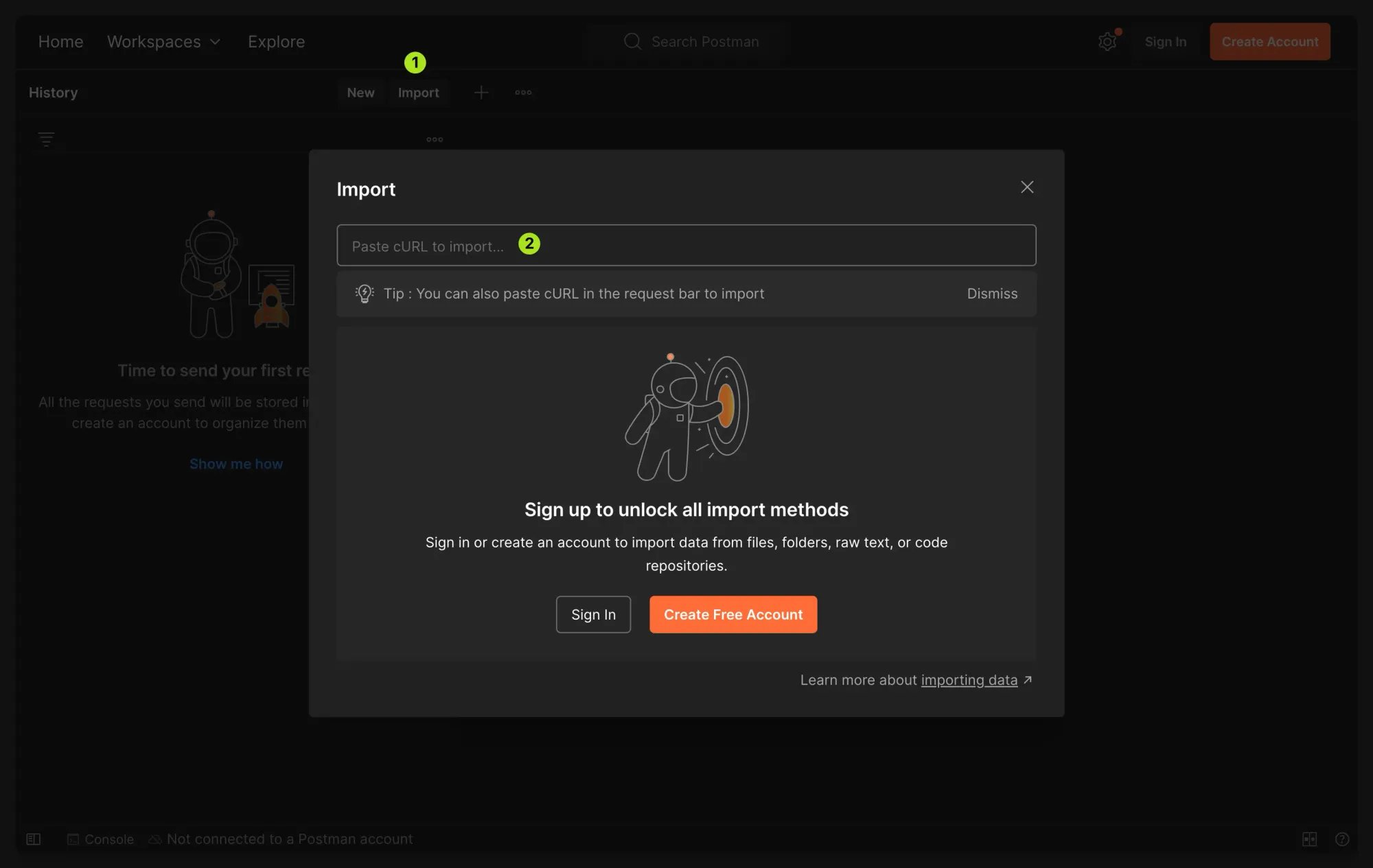
Import the request into Postman as follows:
- Open Postman and click the "Import" button.
- Paste the copied cURL command into the import dialog.
- Postman will automatically parse and import the request.
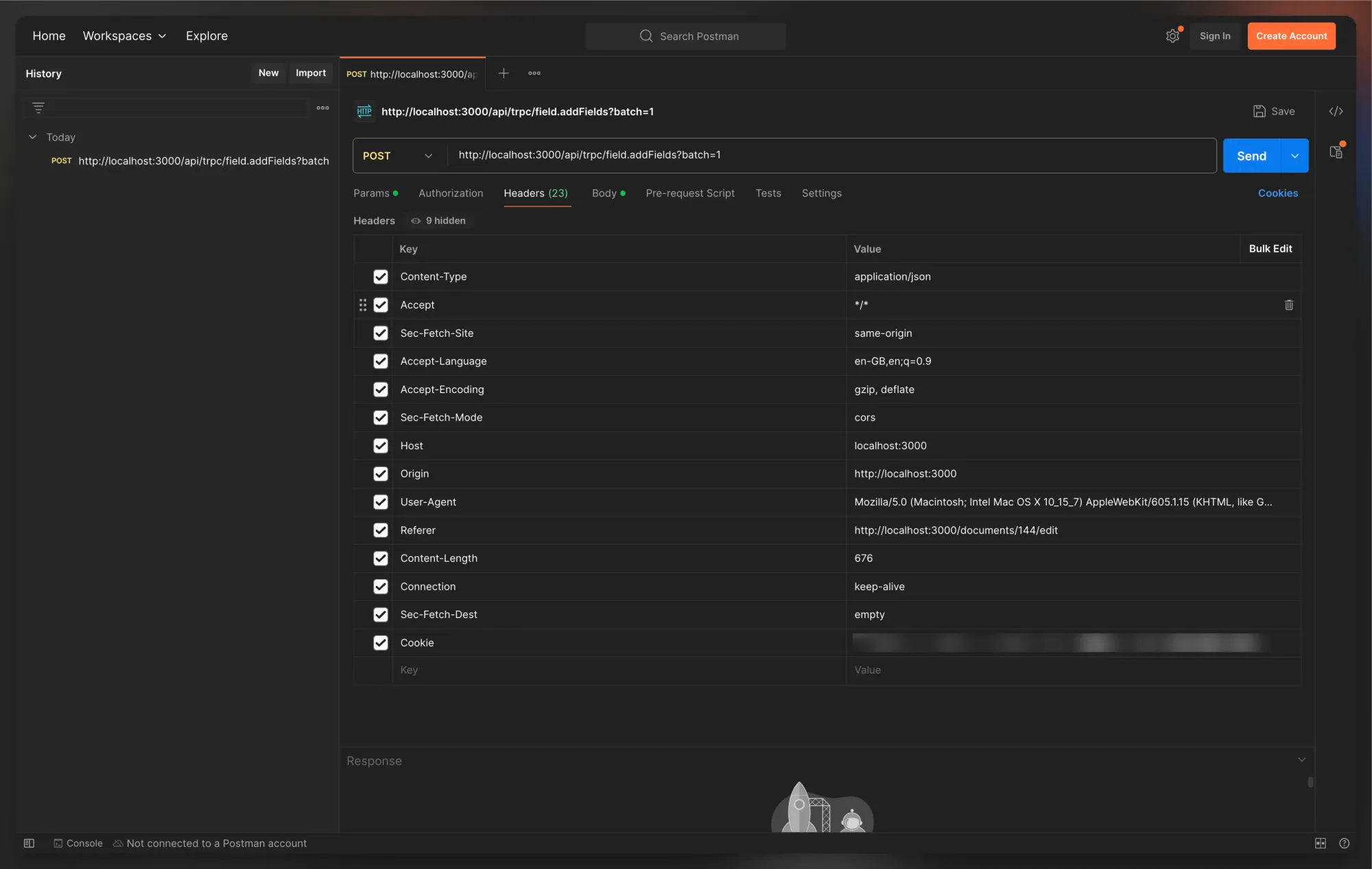
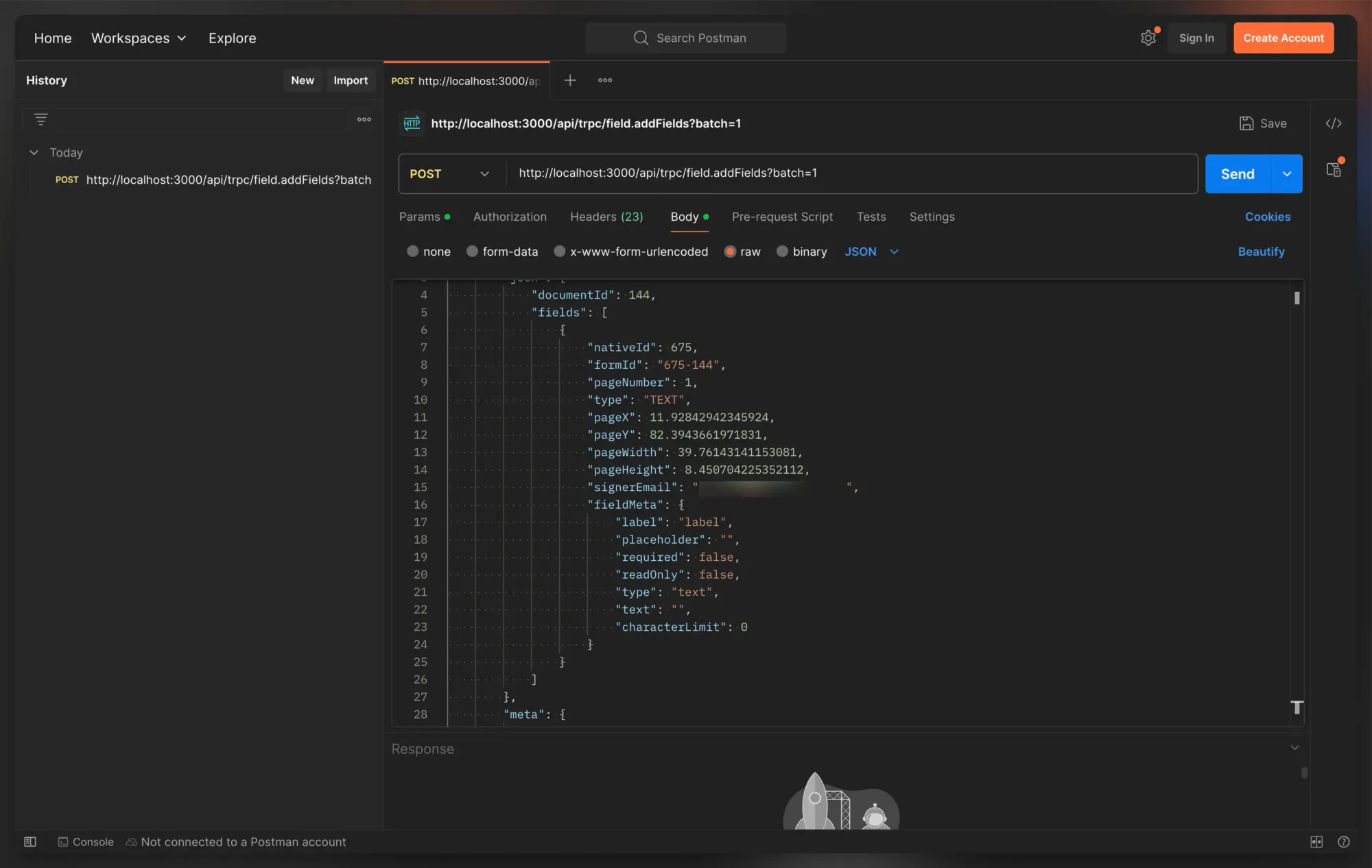
Once imported, Postman configures the request headers and body based on the cURL data. You can immediately send the request by clicking the "Send" button, or modify the request body to customise the data being sent.
While this article shows how to import a cURL command into Postman, you can do it with any tool that accepts cURL commands as input.